
1.SuperPatrick API接口是通过SuperPatrickLibrary.dll提供, 创建Maven工程,在pom.xml文件中添加如下依赖:
<dependency>

      <groupId>org.elasticsearch</groupId>

      <artifactId>jna</artifactId>

      <version>4.4.0-1</version>

      <scope>compile</scope>

</dependency>
2. 我们定义这样一个接口:
public interface SuperPatrickLibrary extends Library {

      void findElement(String pStrId, String pStrName, String pStrClassName, String controlType);

      void sendKeys(String pKeysString);

      void sendShortCutKeys(String pKeysString);

}3.使用前,你需要设置字符集编码如果你需要支持中文的话,同时你需要指定SuperPatrickLibrary.dll所在的路径:
System.setProperty("jna.encoding","GBK");

String dllPath = "C:/1/SuperPatrickLibrary.dll";

SuperPatrickLibrary superpatrick = (SuperPatrickLibrary) Native.loadLibrary(dllPath, SuperPatrickLibrary.class);下面的例子SuperXi为你演示如何自动化的去操作记事本这个windows内置的应用程序:
import com.sun.jna.Library;

import com.sun.jna.Native;

public class SuperPatrickTest {

public interface SuperPatrickLibrary extends Library {
      void findElement(String pStrId, String pStrName, String pStrClassName, String controlType);
       void sendKeys(String pKeysString);
       void sendShortCutKeys(String pKeysString);
   }

public static void main(String[] args) throws InterruptedException {

   System.setProperty("jna.encoding","GBK");

   String dllPath = "C:/1/SuperPatrickLibrary.dll";

   SuperPatrickLibrary superpatrick = (SuperPatrickLibrary) Native.loadLibrary(dllPath, SuperPatrickLibrary.class);

   superpatrick.findElement("307","显示桌面","","Button");

   superpatrick.sendShortCutKeys("{WIN}r");

   Thread.sleep(2000);

   superpatrick.sendKeys("notepad");

   superpatrick.sendShortCutKeys("{Return}");

   Thread.sleep(500);

   superpatrick.sendKeys("欢迎使用来到AutoTestOps测试开发专业网站!!!");

   Thread.sleep(500);

   superpatrick.findElement("","文件(F)","","MenuItem");

   superpatrick.findElement("3","保存(S)    Ctrl+S","","MenuItem");

   Thread.sleep(500);

   superpatrick.sendKeys("test.txt");

   superpatrick.findElement("1","","Button","Button");

   superpatrick.findElement("CommandButton_6","是(Y)","CCPushButton","Button");

   superpatrick.findElement("","关闭","","Button");

}

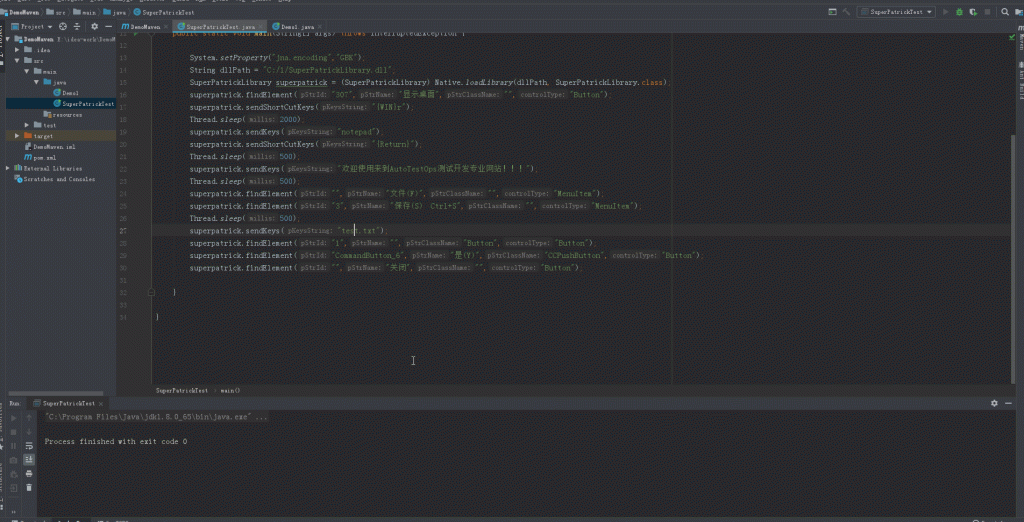
}
注意: 用Sleep方法在自动化测试中不是一个好习惯,这里只是为了演示方便。SuperPatrick后续版本会逐步退出智能等待的API
findElement函数的参数由SuperPatrick定位器所提供,你也可以通过SuperPatrick定位器提供的右键复制findlement函数来自动生成findElement函数调用进一步减少工作量,sendShortCutKeys集成了Windows快捷键操作,sendKeys则可以输入各种字符包括中文等各种字符,并且接口名称和webdriver一致,希望大家亲自把这个例子运行以下即可看到效果,是不是相当简单?更多的技巧接口SuperXi会陆续发布文章详细告诉大家如何使用。
SuperXi